
Trusted
by brands like




Why set up Perdix?
Search & Find Answers in Seconds
Our Google-like search returns fast results that are specific for each user, based on their role and teams, so that users don’t have to waste time determining what information is right for them.
Annotate on Policy Documents
Our annotations and Q&A features allow users to create their own notes, questions, and answers, so that others can benefit from everyone’s thoughts and ideas.
Make Training More Effective
As a performance support tool, Perdix ensures that users can find what they need when they need it while on the job – no more memorizing onerous details or drawn-out processes, no more retraining every time something changes.
Give your customer service agents easy access to the information they need.
Simplify interactions with complicated policy/regulatory documents so your
agents can focus on supporting or advising customers.

We’ve heard things like
Every Perdix feature is designed for speed, efficiency and value
Search & Find Answers in Seconds
With our industry leading, search-first platform, you can quickly and easily find the information you need. Perdix indexes every single page of your documents so that they can be returned in search.
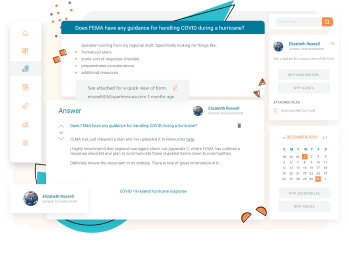
Take Comments to a Whole New Level
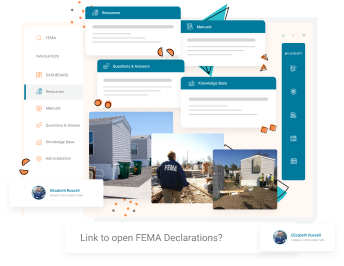
What’s better than a highlighter and sticky notes? An online version of shareable multimedia-rich sticky notes – think sticky notes with video, audio, attachments, and links.
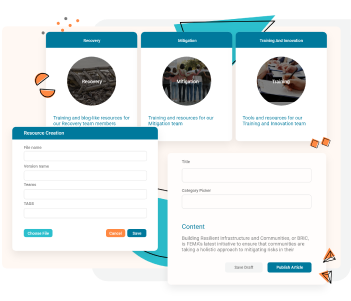
No Nonsense Info Sharing & Page Creation
Easily upload documents, create articles, upload videos, add FAQs – all immediately discoverable by the teams you created them for.
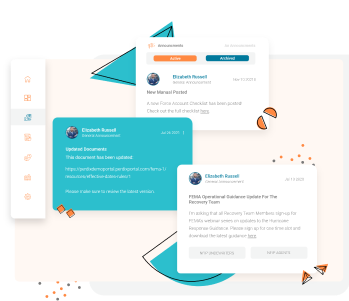
Stop Critical Announcements from Being Buried in Email
Keep your announcements front and center for your employees to see anytime they’re in the portal.